
tunefuse

A fast Apple Music client that feels at home on your Mac.
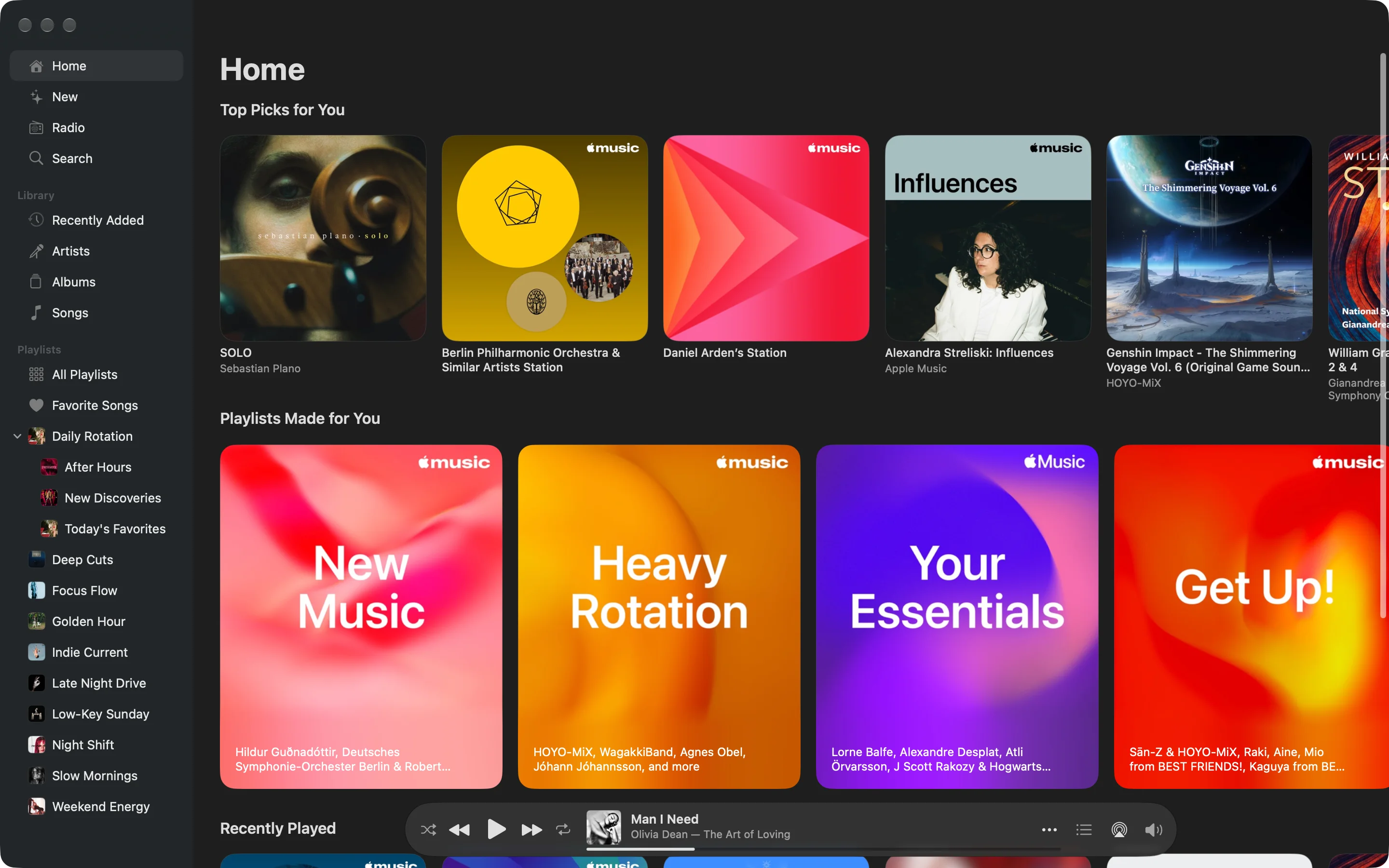
Your music, neat and fast.
Less waiting.
More listening.
Ready for your next listen.
Preloading and caching help keep browsing moving.
A head start.
tunefuse starts loading albums before you open them, getting the next view ready while you browse.
Ready for the return.
Content you’ve already opened stays cached, ready when you come back.
Your library.The whole catalog.Together in tunefuse.
Start with a song you love. Explore the rest from there.
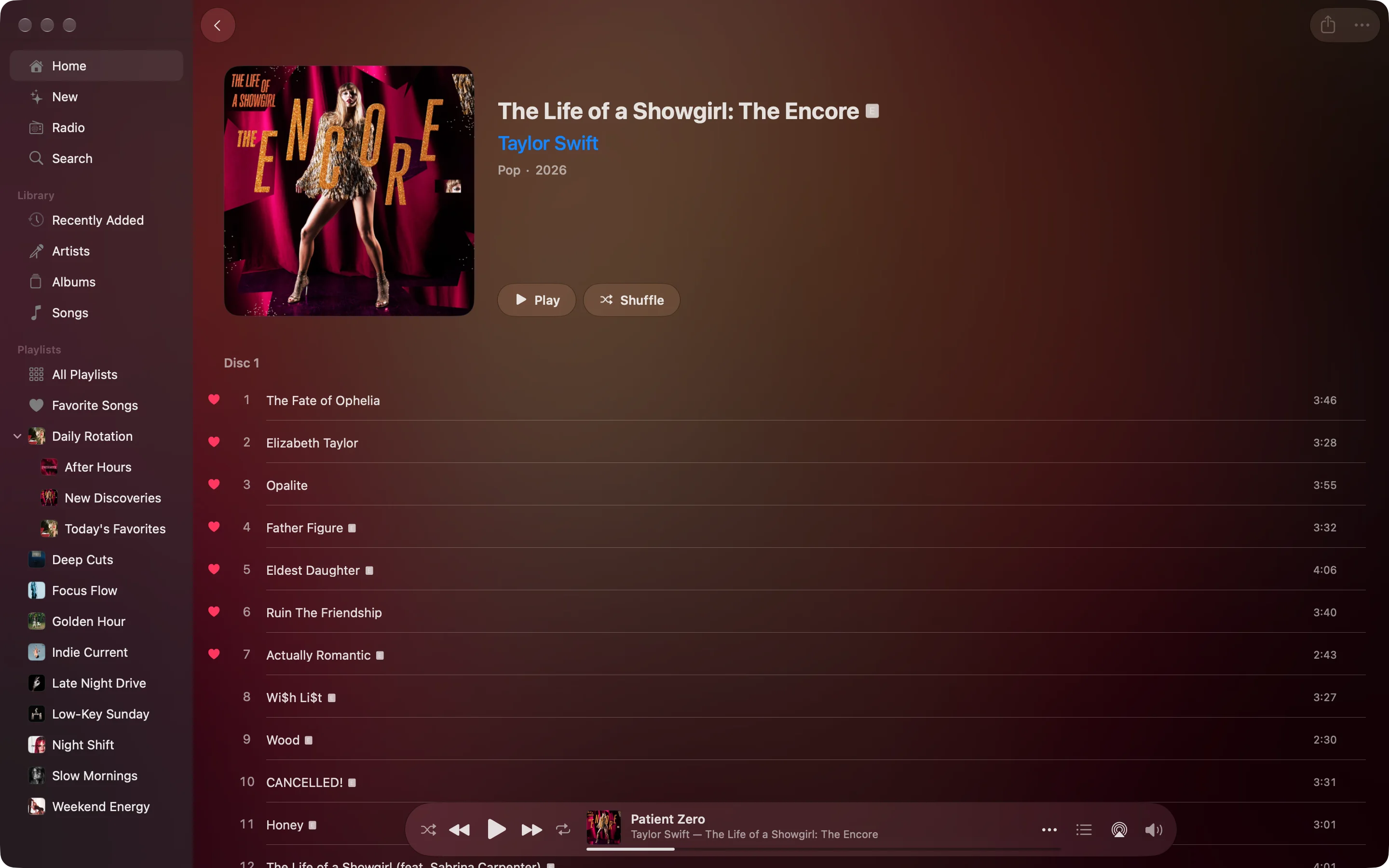
One album.
One place.
Your Apple Music library’s album view shows the songs you’ve saved. tunefuse brings those tracks and the catalog album together.
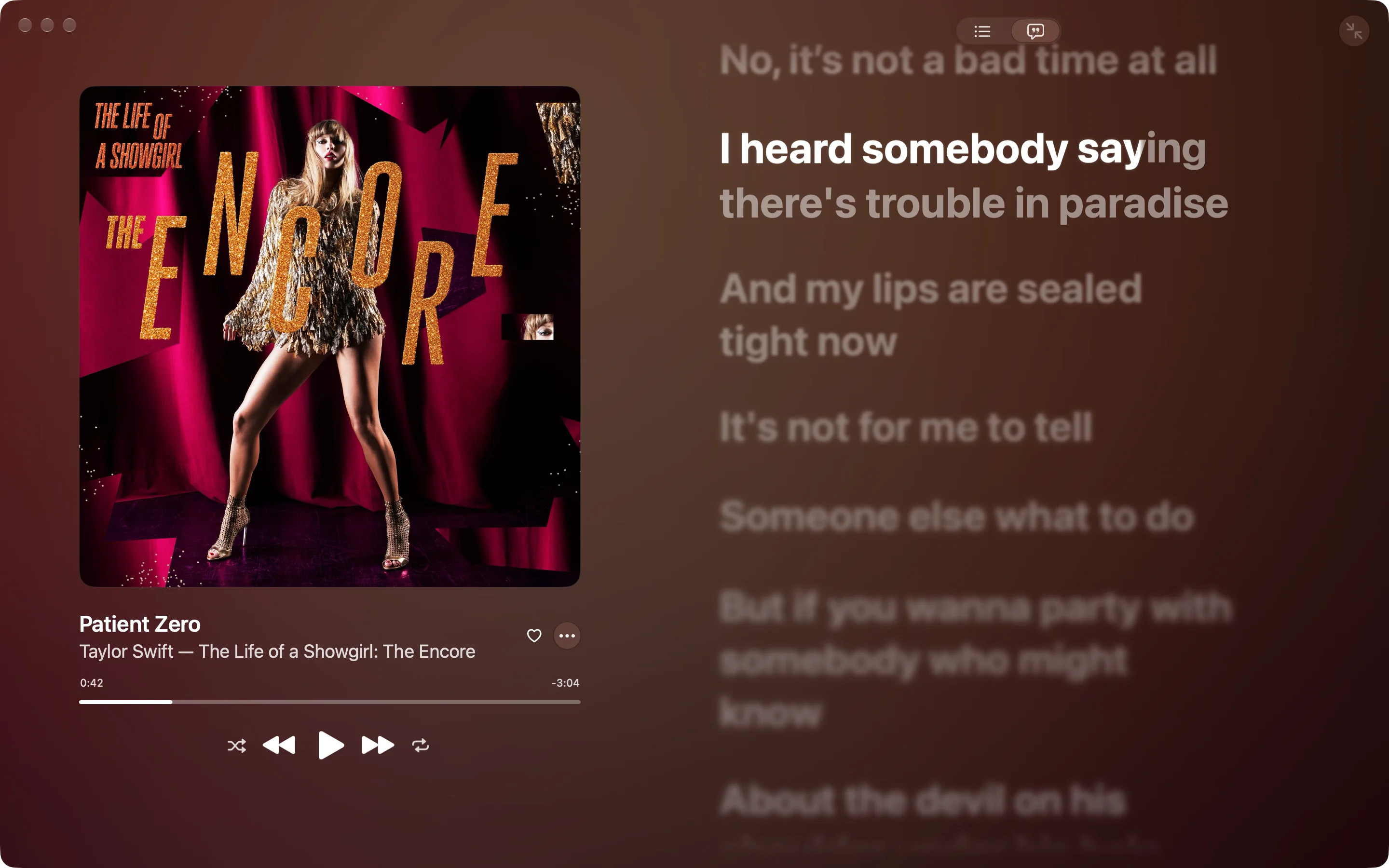
Every word. Right here.
Follow the lyrics in a full-screen player.
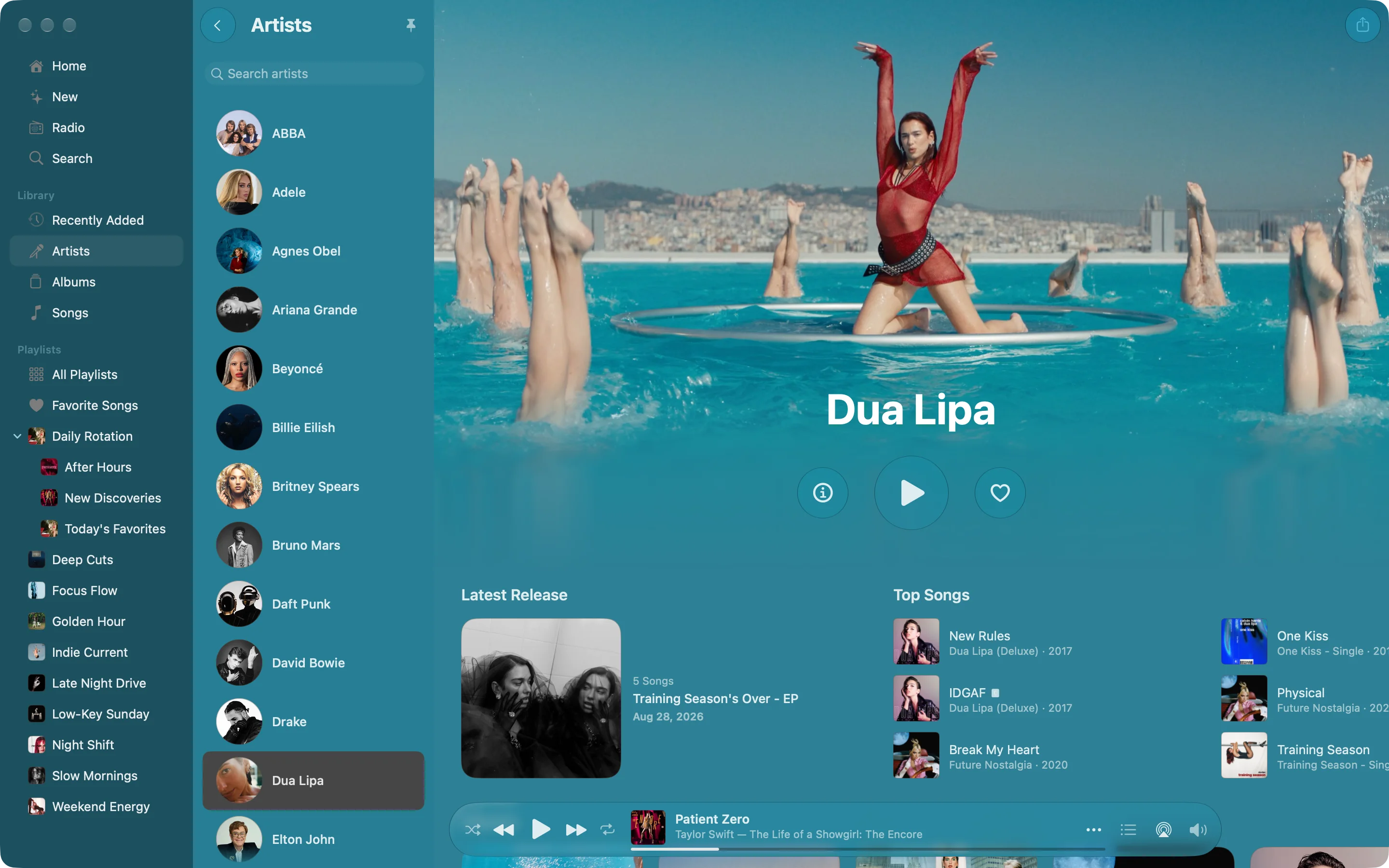
More from the artists
you love.
Go from a saved song to the artist’s full Apple Music page. Find their latest release, top songs, and albums without leaving tunefuse.
Change the music.
Not your focus.
Search for an album and control playback with a shortcut you can make your own. Then get right back to what you were doing.
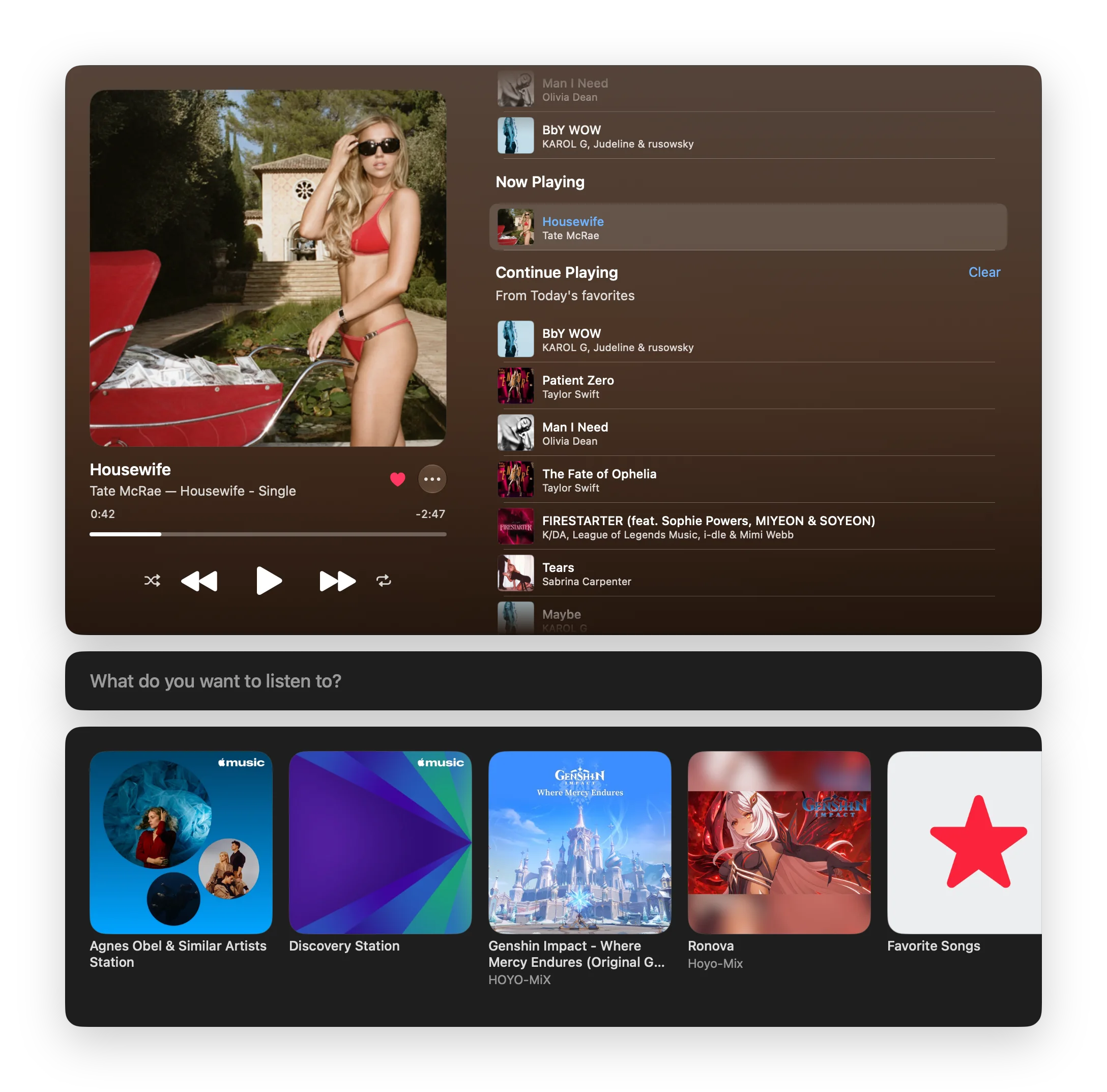
Right under
your cursor.
Move your pointer beneath the notch
to bring your playback controls into reach.
For MacBooks with a notch.

All your music.
A small space for what’s playing.
Built out of love for music.
Made to make it yours.
I built tunefuse around the way I listen: following an album, exploring an artist, and putting something on while I work. It’s early days, and I’d love your help making it better.
Daniel Arden
Get tunefuse.
Enjoy Apple Music in a Mac app built around the way you listen.
Before you
press play.
Which Macs does tunefuse support?
tunefuse currently supports Apple Silicon Macs (M1 or later) running macOS 26.4 or later. Support for Intel Macs and older macOS versions is coming soon. The notch player is available on MacBooks with a notch.
Do I need a music subscription?
Yes. tunefuse is a client for Apple Music, so you’ll need an active Apple Music subscription.
How much does tunefuse cost?
tunefuse is a one-time purchase. See Pricing for the current offer. No extra tunefuse subscription. An ongoing Apple Music subscription, sold separately, is required.
What should I know before installing?
Check the release notes for installation guidance and known issues. If you need a hand, email me at hello@tunefuse.app .
Requires an Apple Silicon Mac (M1 or later) with macOS 26.4 or later.
An ongoing Apple Music subscription is required.